Mutarabeta

A whole radio node.
One binary.

Mutara links your radio to the Nebula, and it links with AllStarLink nodes. It also gives you a live dashboard and a push-to-talk transceiver in your web browser. You do not need Asterisk, and you do not edit configuration files. Connect a USB radio interface, open a web page, and you are on the air.

Experimental beta. A small group of radio amateurs tests it now.

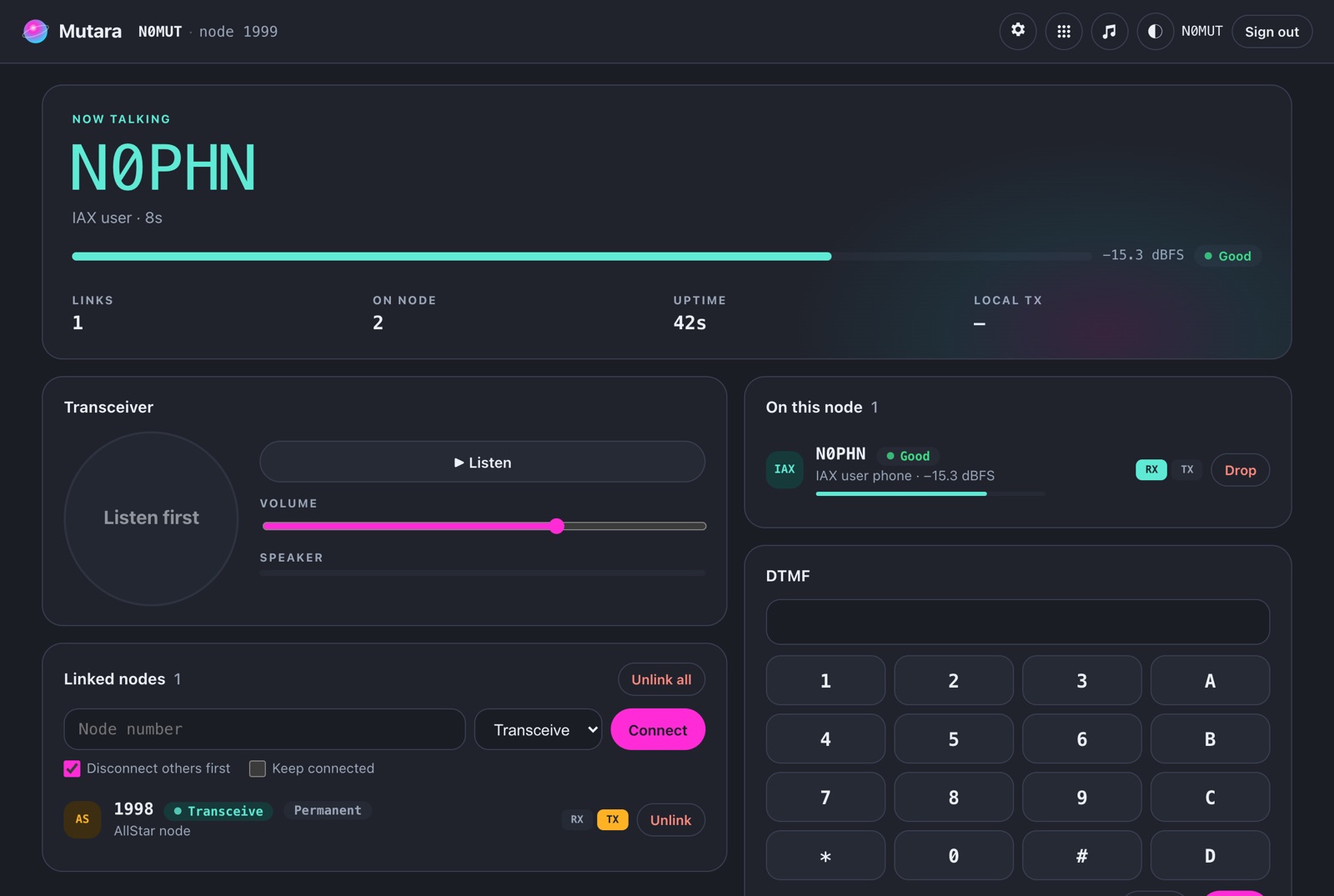
The Mutara dashboard. N0PHN, a phone user, talks at -15.3 dBFS with a Good reading. The node has a permanent link to node 1998.

Before Mutara, a radio link to the internet needed many programs, many configuration files and a long time in a terminal. Mutara is one program. It contains the radio interface, the network link, the repeater controller and the dashboard. It starts in one second and runs well on a Raspberry Pi.

Your node, in your pocket

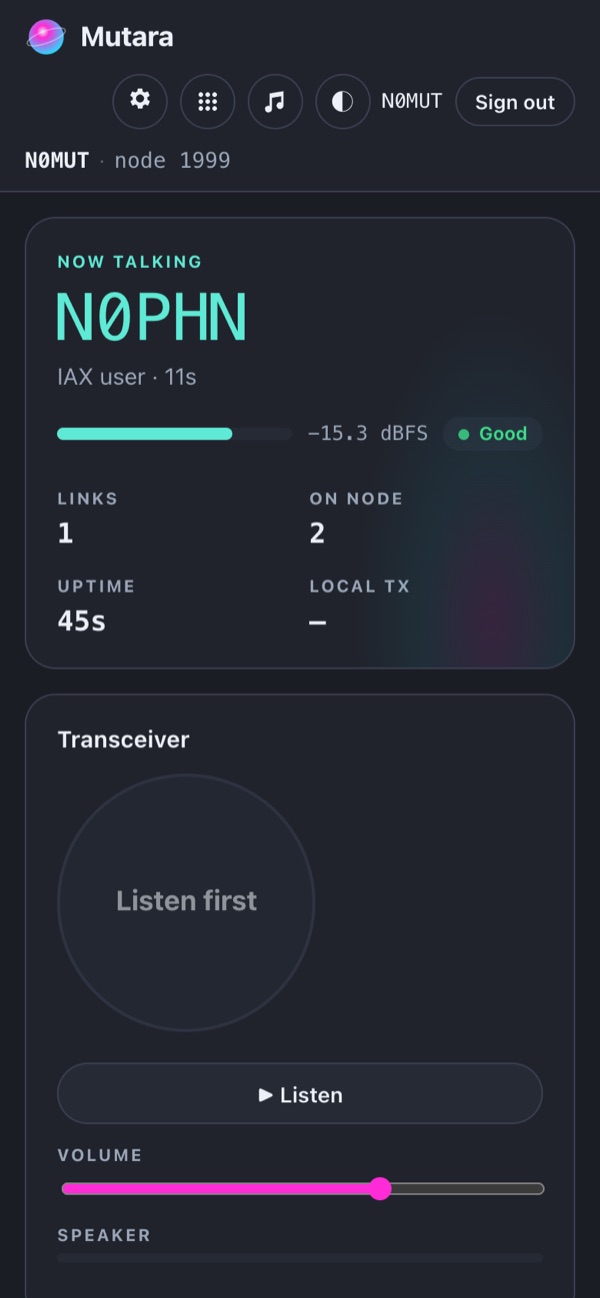
The dashboard shows who talks and how they sound. It also shows your links and the nodes behind them. Tap Listen to hear the node on your phone, and hold the button to talk. Each user has their own permissions.

The dashboard also helps you set audio levels. It shows the level of each talker in dBFS, with a reading of too quiet, good or too hot. Move the interface sliders while you listen.

The Mutara dashboard on a phone. N0PHN talks with a Good level.

The codes your fingers know

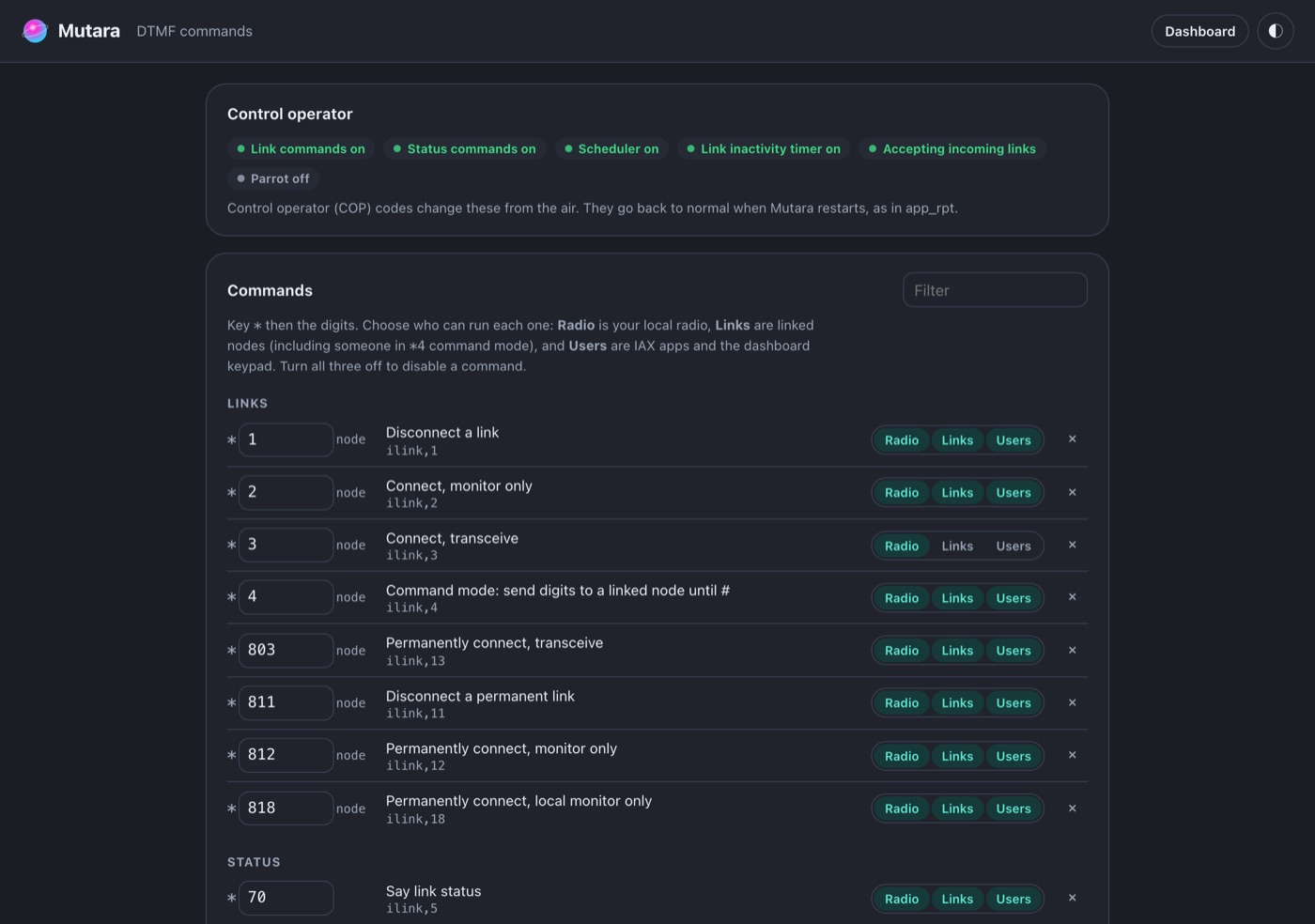
Mutara uses the stock app_rpt DTMF codes. *3 connects a node and *1 disconnects it, as before. You can change any code. You can also select who can use it: your radio, linked nodes or app users.

Macros, schedules, startup commands, a link inactivity timer and control operator codes are on the same page. For example, connect to the net at 7 PM each Tuesday and disconnect at 8 PM.

The Commands page. It shows control operator switches and DTMF commands. Each command has Radio, Links and Users access.

Sounds like your station

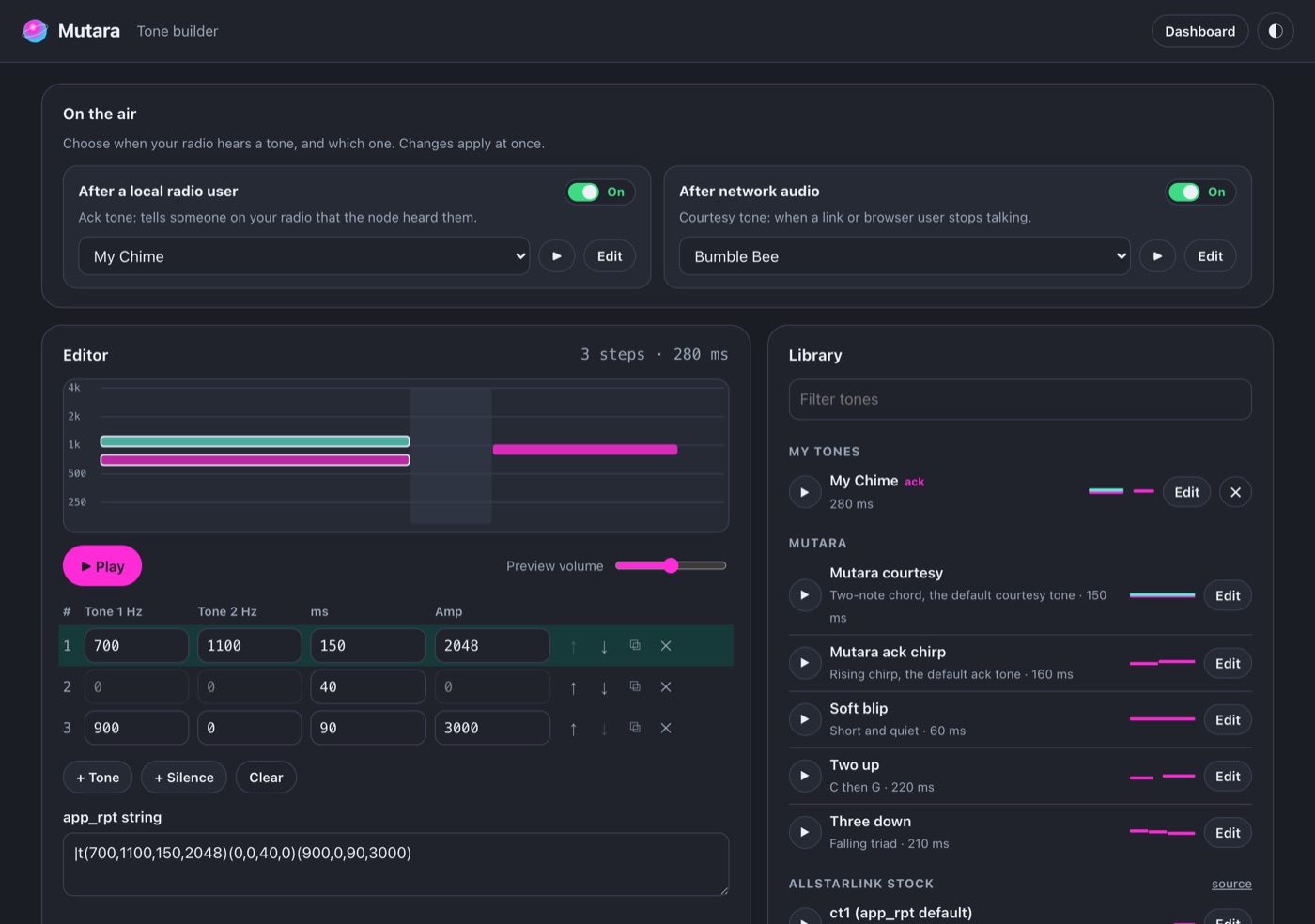
Select a courtesy tone from 40 presets. The presets include the stock app_rpt tones and classic repeater controller tones. You can also draw your own tone and listen to it in the browser before it goes on the air.

A natural voice announces links, status, the time and your station ID. If you prefer, Mutara sends them in CW.

The tone builder. It shows an editor for a three-step tone and a library of presets.

And everything around it

Links with AllStarLink nodes
For interoperability, Mutara registers your node on the AllStarLink network and links with stock ASL3 nodes over IAX2. Permanent links connect again automatically.
USB interfaces and the AIOC
Mutara supports CM108 and CM119 interfaces, the URIx, the RA-35 and the AIOC. It reads COS and CTCSS from the interface, or it uses VOX. It has PL filtering and emphasis.
Apps and reflectors
DVSwitch Mobile, iaxRpt and softphones log in directly. Mutara also connects to OpusRef reflectors with wideband audio.
Simplex or repeater
Mutara has hang time, courtesy and acknowledgement tones, and a timeout timer. Parrot mode plays your audio back so that you can check it.
Easy to maintain
Mutara runs as a service and starts again if it stops. You can back up and restore your settings with one click. A diagnostics file helps with problem reports.
One file
The dashboard, the voices and the tones are all inside one program file of approximately 17 MB. Mutara needs no other software. It runs on a Raspberry Pi or on a Linux computer.
Already on ASL3?

Try Mutara on the node you have now. The installer copies your node number, password, callsign, macros, permanent links and radio settings. Then it stops ASL3 and starts Mutara.

The ASL3 files do not change. One command switches back to ASL3, and one command switches to Mutara again.

*1Disconnect a node
*2Connect, monitor only
*3Connect, transceive
*4Command mode on a linked node
*5Run a macro
*70Link status
*711Station ID, time, version
*813Permanent link, transceive

Experimental beta

Mutara is new. A small group of radio amateurs tests it before the public release. Expect problems, and expect changes.

  • The Nebula, Mutara's own linking network, is in early development. At this time, Mutara links with the AllStarLink protocol.
  • Links are tested with stock ASL3 nodes and on the public AllStarLink network.
  • USB radio support is tested with a CM108 interface and a simplex radio. Tests with more interfaces and with repeaters are next.
  • AllStarLink links use only the ulaw codec at this time. EchoLink is not available yet.

Testing Mutara?

If you find a problem, open Settings → Backup in the dashboard. Click Download diagnostics. The file contains the version, the status, recent logs and your settings without passwords. Send the file with a short description of the problem.

Not affiliated with AllStarLink. Mutara is an independent project. It links with AllStarLink nodes for interoperability with existing nodes, and it does not replace the AllStarLink network. AllStarLink, Inc. does not make, test or support Mutara. Send questions about Mutara to this project, not to AllStarLink support.